Introduction
One of the most satisfying mechanics in any game is picking up and carrying objects. Whether it’s Half-Life’s physics-driven objects or Death Stranding’s weighty cargo, good carry mechanics make the world feel interactive and physical.
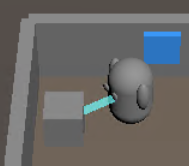
In our ship-driving game, we needed a crate carrying system that feels responsive, realistic, and fun. This post walks through how we implemented a physics-based carrying system using Godot 4’s RigidBody3D system with a Half-Life-inspired spring-damper approach.
The Challenge
When building a carry system, you face several challenges:
- Physics vs Control: You want objects to feel physical, but also responsive to player movement
- Oscillation: Strong forces can cause the carried object to bounce and wobble
- Rotation: The carry position should rotate naturally with the player
- Collision Management: Carried objects shouldn’t push the player or get stuck in doorways
- Performance: The system needs to run smoothly every frame
Our Solution: Spring-Damper Physics
Instead of directly manipulating the crate’s position, we use a force-based approach. The crate is always a fully simulated RigidBody3D, but we apply forces to guide it toward an invisible target point in front of the player. This gives us realistic physics with precise control.
The Architecture
Player (CharacterBody3D)
  └─ CarryTarget (Marker3D) - invisible point, 2 units forward

Crate (RigidBody3D)
  └─ Applies force toward CarryTarget each frame
Implementation Deep Dive
1. The Carry Target
The player has an invisible Marker3D child node called CarryTarget positioned 2 units in front. This rotates automatically with the player, providing a perfect reference point for where we want the crate to be.
# In player.gd
@export var carry_distance: float = 2.0  # Distance in front of player
carry_target = get_node("CarryTarget")  # Marker3D child node
2. The Spring Force
Each frame, the crate calculates a spring force pulling it toward the carry target. The force is proportional to the distance, creating natural acceleration and deceleration:
@export var spring_constant: float = 800.0  # Spring force multiplier (Half-Life style)
@export var damping_constant: float = 50.0  # Damping to reduce oscillation
@export var exponential_transition_distance: float = 1.0  # Distance threshold for exponential vs linear force
@export var exponential_base: float = 3.0  # Base for exponential function (2-4 recommended)
@export var max_carry_distance: float = 3.0  # Maximum distance before applying extra strong force
@export var max_distance_force_multiplier: float = 3.0  # Extra force multiplier when beyond max distance
@export var velocity_match_factor: float = 0.3  # How much to match target velocity (0-1)
@export var carry_damping: float = 8.0  # Linear damping when being carried (for stability)
@export var normal_damping: float = 0.1  # Normal damping when not carried

var is_being_carried: bool = false
var carry_target: Node3D = null  # The invisible target point in front of player
var _debug_frame: int = 0  # Frame counter for compact debug

# Velocity tracking for Half-Life-style velocity matching
var last_target_position: Vector3 = Vector3.ZERO
var target_velocity: Vector3 = Vector3.ZERO

# Collision layer management (prevent crate from pushing ships when being carried)
var original_collision_mask: int = 0  # Store original collision mask

func _ready() -> void:
	add_to_group("interactable")
	add_to_group("crate")
	linear_damp = normal_damping
	# Initialize collision mask: World (layer 1) + Ships (layer 2) = 3
	# This allows crates to collide with both world geometry and ships
	if collision_mask == 0:
		collision_mask = 3
	# Store original collision mask so we can restore it later
	original_collision_mask = collision_mask

func _physics_process(_delta: float) -> void:
	if is_being_carried and carry_target and is_instance_valid(carry_target):
		# Wake up if sleeping (force might not work on sleeping bodies)
		if sleeping:
			sleeping = false

		# Get the position difference to the carry target
		var target_pos = carry_target.global_position
		var displacement: Vector3 = target_pos - global_position
		var distance: float = displacement.length()

		# Compute simple spring force to move toward carry target (like "hand" holding via strong spring)
		var force: Vector3 = displacement * spring_constant

		# If too far from the target, apply extra force to quickly snap back (prevent crate getting "lost")
		if distance > max_carry_distance:
			force *= max_distance_force_multiplier

		# Apply damping force based on current linear velocity to suppress oscillation
		var damping_force: Vector3 = -linear_velocity * damping_constant

		var total_force: Vector3 = force + damping_force

		apply_central_force(total_force)
	else:
		# Not being carried: do nothing special
		pass
The key formula here is:
- Spring Force:
force = displacement * spring_constant– pulls crate toward target - Damping Force:
damping = -velocity * damping_constant– reduces oscillation - Total Force: Both applied together for smooth, stable motion
3. Preventing Oscillation
One of the biggest challenges with spring-based systems is oscillation. The crate can bounce back and forth if forces are too strong. We solve this with:
- Velocity damping: Counteracts the crate’s velocity to reduce oscillation
- Linear damping: Higher
linear_dampwhen carried (8.0 vs 0.1 normally) absorbs energy - Distance clamping: If the crate gets too far away, we apply extra force to snap it back
4. Collision Layer Management
When a crate is being carried, we don’t want it to collide with ships (which could push the ship or get stuck in doorways). We temporarily disable ship collisions:
	# Disable collision with ships to prevent crate from pushing ship when hitting doorway
	# Remove layer 2 (Ships) from collision mask: layer 2 = bit value 2
	collision_mask = collision_mask & ~2  # Remove layer 2 (Ships)
And restore it when dropped:
	# Restore original collision mask (re-enable collision with ships)
	collision_mask = original_collision_mask
5. Player Interaction
The player uses a raycast to detect crates in front, with a fallback radius check:
func _try_pickup_crate() -> void:
	# Raycast to find crate in front of player
	var space_state = get_world_3d().direct_space_state
	var origin = global_position + Vector3(0, 0.5, 0)  # Eye level
	var forward = -global_transform.basis.z  # Forward direction
	var end = origin + forward * interaction_range

	var query = PhysicsRayQueryParameters3D.create(origin, end)
	query.collide_with_areas = false
	query.collide_with_bodies = true

	var result = space_state.intersect_ray(query)

	if result:
		var collider = result.collider
		if collider is Crate and collider.can_pick_up():
			_pickup_crate(collider)
			return

	# If raycast didn't hit, try nearby crates
	var nearby_crates = get_tree().get_nodes_in_group("crate")
	for crate in nearby_crates:
		if crate is Crate and crate.can_pick_up():
			var distance = global_position.distance_to(crate.global_position)
			if distance <= interaction_range:
				_pickup_crate(crate)
				return

	print("[Player] No crate nearby to pick up")
6. Smooth Rotation
The player rotates toward their movement direction each frame, and since the CarryTarget is a child of the player, it rotates automatically. This means the crate naturally follows the player’s facing direction without any extra code.
## Update player rotation to face movement direction
func _update_rotation(direction: Vector3, delta: float) -> void:
	# Only rotate when moving and not locked to a plate
	if direction.length() > 0.01 and not current_plate:
		# Calculate target rotation angle from movement direction
		var target_angle = atan2(direction.x, direction.z)

		# Get current rotation (only Y axis for yaw)
		var current_angle = rotation.y

		# Smoothly interpolate toward target angle
		var new_angle = lerp_angle(current_angle, target_angle, rotation_speed * delta)

		# Apply rotation only to Y axis (yaw) to keep player upright
		# Rotating the CharacterBody3D node ensures all children (mesh, hands, etc.) rotate together
		rotation.y = new_angle
Tuning the Feel
Getting the physics to feel right requires careful tuning. Here are our default values and what to adjust:
| Parameter | Default | Effect |
|---|---|---|
spring_constant | 800.0 | Higher = snappier, lower = floatier |
damping_constant | 50.0 | Higher = less oscillation, but more sluggish |
carry_damping | 8.0 | Linear damping when carried (smoothness) |
max_carry_distance | 3.0 | Distance before applying extra force |
max_distance_force_multiplier | 3.0 | How much extra force to apply when far |
Common Issues and Fixes:
- Too floaty: Increase
carry_dampingto 10.0-12.0, or increase crate mass - Too sluggish: Increase
spring_constantto 1000.0-1200.0, or decreasecarry_damping - Oscillation/bouncing: Increase
damping_constantto 70.0-100.0, or reducespring_constant - Crate gets lost: Increase
max_distance_force_multiplierto 5.0
The Result
With this system, players can:
- Pick up crates with a simple F key press
- Carry them smoothly through doorways and around corners
- Experience realistic physics without losing responsiveness
- Drop crates at any time to return them to normal physics
The crate follows the player naturally, rotating with their movement, and feels weighty without being frustrating. It’s a system that players won’t think about—it just works.
Key Takeaways
- Force-based > Position-based: Using forces preserves physics while maintaining control
- Damping is crucial: Without proper damping, spring systems oscillate wildly
- Layer management matters: Temporarily disabling collisions prevents gameplay issues
- Child nodes for rotation: Let Godot’s scene tree handle rotation automatically
- Tune iteratively: Physics feel is subjective—playtest and adjust
Future Enhancements
Some ideas we’re considering:
- Visual feedback: Highlight crates when nearby, show connection line
- Throw mechanics: Apply velocity on drop to toss crates
- Weight effects: Slow player movement when carrying heavy crates
- Stacking: Carry multiple crates in a stack
- Different crate types: Light, heavy, fragile variants with different physics
Conclusion
Building a good carry system requires balancing physics realism with player control. Our spring-damper approach gives us the best of both worlds: objects feel physical and responsive. The system is performant, maintainable, and—most importantly—fun to use.
The code is straightforward, the parameters are tunable, and the result is a mechanic that enhances the game without drawing attention to itself. Sometimes the best game mechanics are the ones players take for granted.
Want to see it in action? Check out the game or dive into the code at interactables/crate.gd and player/player.gd to experiment with your own physics-based carrying systems!
Leave a Reply