
Cursor Has Quietly Become One of My Favourite Dev Tools
I’ve been using Cursor for a while now, and honestly, it’s become one of those tools I reach for without thinking. It fits neatly into my workflow and, more importantly, it actually makes me faster instead of getting in the way.
If you’re not familiar with it, Cursor is essentially a code editor with AI deeply integrated — not bolted on as an afterthought. You can reason about code, refactor, ask questions about unfamiliar files, and generate changes directly where you’re working. That context-awareness is where it really shines.
Where Cursor Really Excels
The biggest win for me is how natural it feels to use:
- You can ask questions inside your codebase, not in a separate chat window
- It understands project context surprisingly well
- Refactors and explanations are usually on point
- It reduces the mental load when switching between files or unfamiliar sections
Instead of breaking flow to Google, copy-paste, or explain context repeatedly, Cursor just… stays with you. That alone makes it worth using.
The One Thing That Still Confuses Me: Usage Visibility
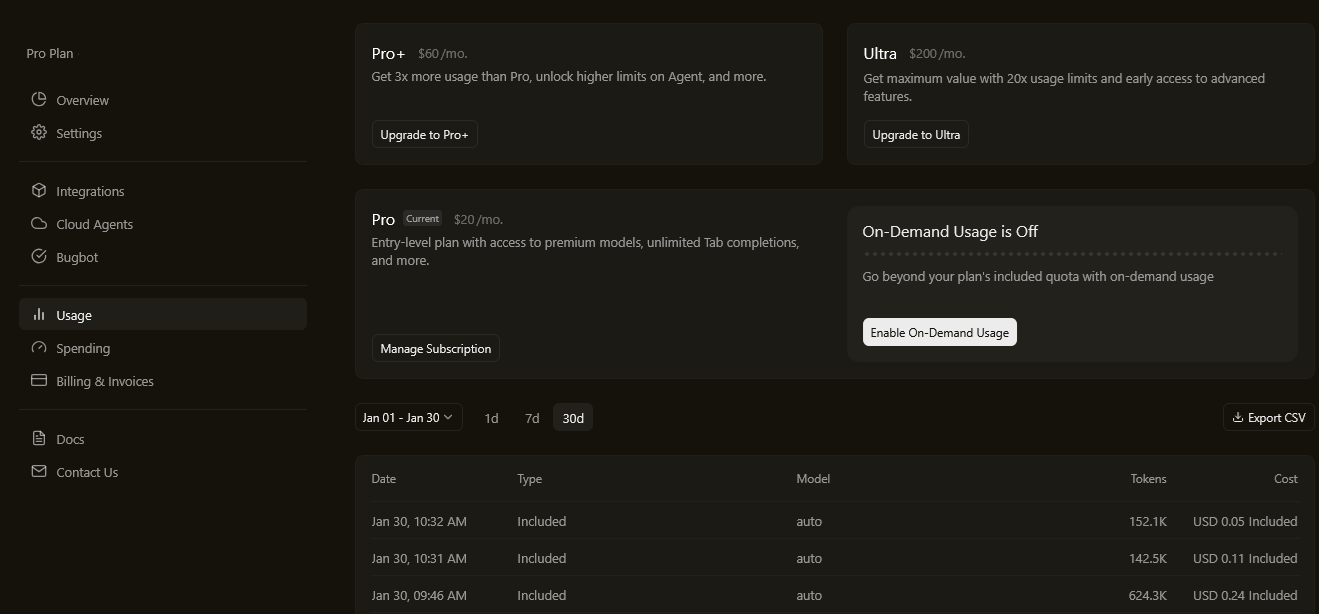
That said, there is one thing I genuinely don’t understand yet — usage tracking.
Specifically:
- There’s no clear “you have X usage left” indicator on the main dashboard
- I can’t easily see how much of my allowance I’ve used or have remaining
- It’s not obvious where to check this without digging
This isn’t a deal-breaker, but it is friction. When a tool is this good, you want confidence that you’re not going to suddenly hit a limit without warning. Clear usage visibility would go a long way toward making the experience feel more transparent and predictable.
Overall Verdict
Even with that minor frustration, Cursor has earned a permanent place in my setup. It’s one of those tools that quietly makes you better at what you do — not by replacing thinking, but by reducing unnecessary effort.
If Cursor adds clearer usage reporting in the future, it’ll be close to perfect for me. Until then, I’ll keep using it daily… and occasionally wondering where my remaining usage is hiding.
Highly recommended — just keep an eye on the meter you can’t quite see yet.
Leave a Reply